
Get Unmatched Conversational Automation Abilities with Conferbot Chatbots Powered by OpenAI
 Try Conferbot Free
See it in Action: The AI Intent Detection Feature in Real Time
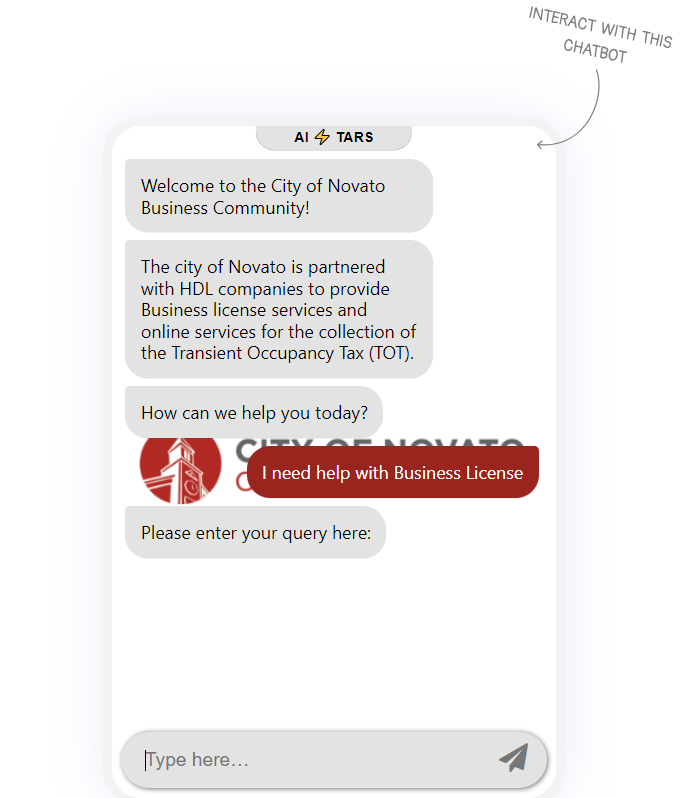
Explore the future of chatbots with our sample Conferbot chatbot powered by OpenAI's GPT-3.5 Turbo.
Ask these to try out the feature
 Permit for setting up my business in the cityPermit for setting up my business in the cityPermit for setting up my business in the city
Experience the Future of Conversational AI
Introducing Conferbot New Feature Backed With The Power of GPT-3.5 Turbo
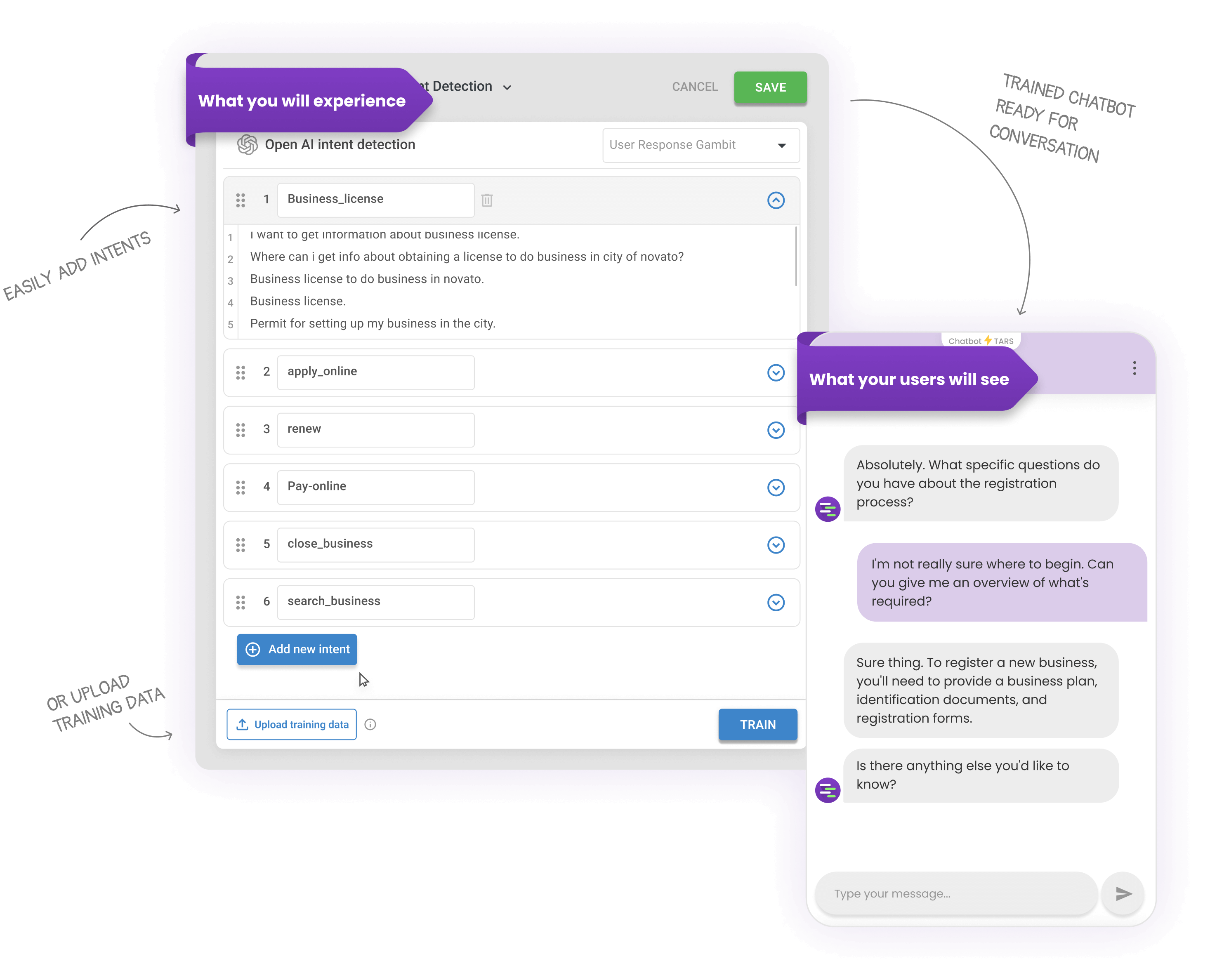
The smartest chatbot on the block just became a powerhouse! With two easy ways to equip our chatbots with training data, maximize customer satisfaction and minimize frustration. All in one place!
Upload Training Data
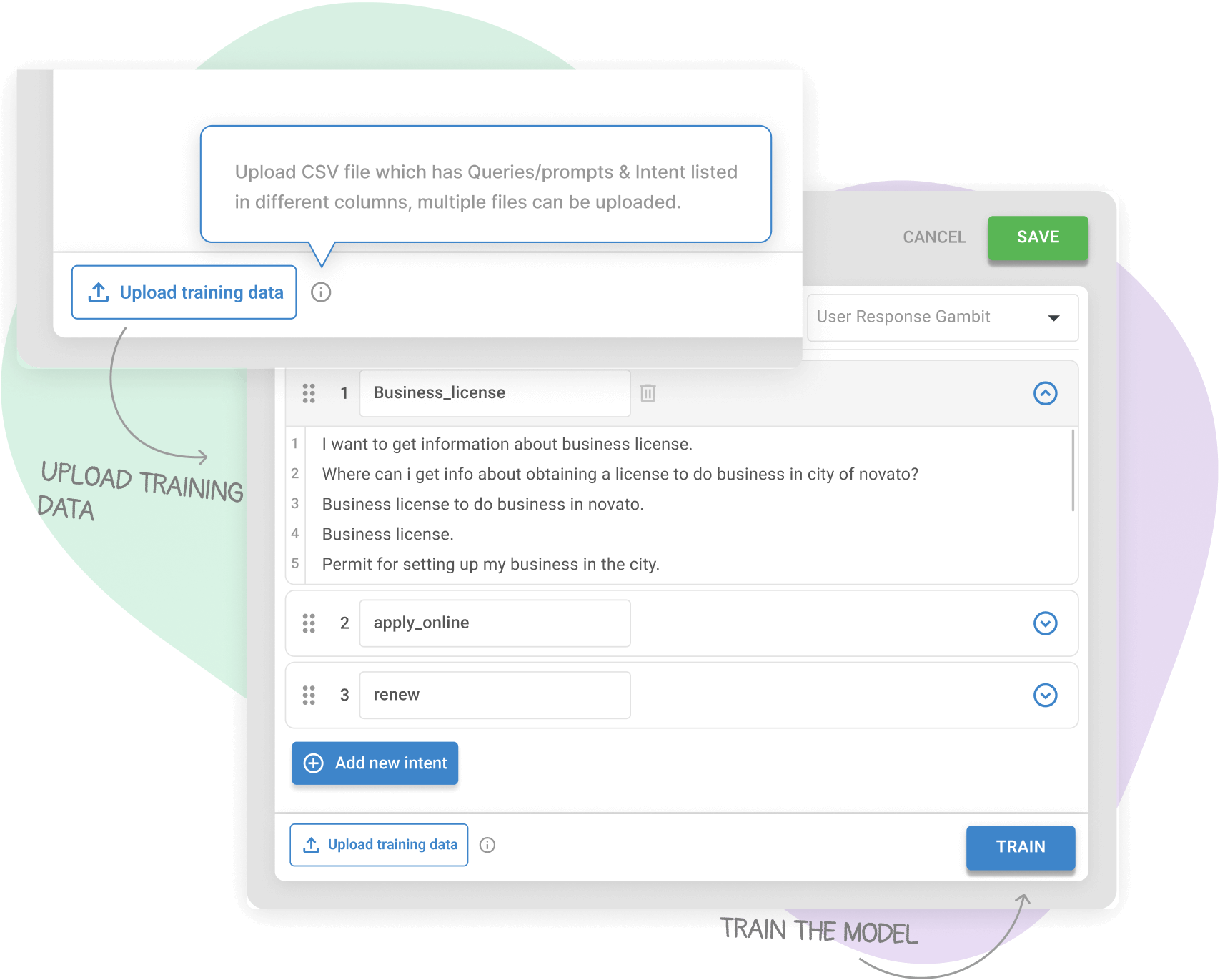
If you have training data in a .csv file with user intents and utterances, upload it to see them in the gambit modal. Review and add more intents if needed. Once done, click Train to enable the chatbot to use the data.
Upload Training Data
If you have training data in a .csv file with user intents and utterances, upload it to see them in the gambit modal. Review and add more intents if needed. Once done, click Train to enable the chatbot to use the data.
Advantages of Conferbot AI Intent Detection Feature
The smartest chatbot on the block just became a powerhouse! With two easy ways to equip our chatbots with training data, maximize customer satisfaction and minimize frustration. All in one place!

Greater Flexibility
With OpenAI's GPT 3.5 Turbo integration, chatbots by Conferbot offer greater flexibility in handling a wider range of scenarios.

Greater Flexibility
With OpenAI's GPT 3.5 Turbo integration, chatbots by Conferbot offer greater flexibility in handling a wider range of scenarios.

Greater Flexibility
With OpenAI's GPT 3.5 Turbo integration, chatbots by Conferbot offer greater flexibility in handling a wider range of scenarios.
OpenAI Integration FAQ
Everything you need to know about implementing AI chatbots for openai integration. Get answers about features, pricing, implementation, security, and industry-specific solutions.
Getting Started with OpenAI Integration
4Integrating OpenAI with Conferbot is simple and takes just a few minutes. First, obtain your OpenAI API key from the OpenAI platform. Then, in your Conferbot dashboard, navigate to Settings > Integrations > OpenAI and paste your API key. Once connected, you can select your preferred GPT model (GPT-3.5 Turbo, GPT-4, or GPT-4 Turbo) and configure temperature settings to control response creativity. Conferbot automatically handles API calls, rate limiting, and error handling, so you can focus on building intelligent conversations.
